
Codex CLI
OpenAIOpenAI's open-source coding agent that runs locally in your terminal. In CodeBee it acts as the planning hub, turning goals into executable step lists.
SUPPORTED CLIS
No single-model lock-in. Any supported AI coding CLI already on your machine can join the hive and take a role; every CLI you add is another way to work.
CodeBee currently orchestrates 14 local CLIs across four roles: planning — Codex CLI, Roo Code; execution — Claude Code, Qwen Code, OpenCode, Aider, Cline, Goose, Amazon Q CLI; research — Gemini CLI, Kimi Code; review — GitHub Copilot CLI, Cursor Agent, Windsurf. CLIs are discovered automatically and the list keeps growing.
The list and per-release changes are documented in the GitHub repository (Vercel-By-WXP/CodeBee) release notes.
Break down the goal, arrange the steps, decide who takes the next round.
OpenAI's open-source coding agent that runs locally in your terminal. In CodeBee it acts as the planning hub, turning goals into executable step lists.
An open-source AI coding assistant. In CodeBee it excels at splitting big tasks into small steps that set up the builder swarm.
Hands on the work: write code, edit files, run commands, turn plans into artifacts.
Anthropic's agentic coding tool — reads your codebase, edits files and runs commands. In CodeBee it carries the deep execution work.
A command-line coding assistant built on Qwen models. In CodeBee it handles fast implementation and parallel changes.
An open-source terminal coding assistant that supports many models. In CodeBee it serves as the open-model builder seat.
The classic AI pair-programming tool. In CodeBee it handles incremental edits and pairing in the terminal.
An open-source autonomous coding agent. In CodeBee it takes on multi-step agentic execution.
Block's open-source automation agent. In CodeBee it runs routine tasks automatically.
AWS's command-line AI coding assistant. In CodeBee it covers cloud engineering and infrastructure tasks.
Search sources, read long documents, scout in parallel, feed context to the team.
Google's open-source command-line agent. In CodeBee it runs parallel exploration and source retrieval.
Moonshot AI's assistant, strong with long context. In CodeBee it reads and organizes long documents and sessions.
A second pair of eyes: score by dimension and only pass work that meets the bar.
GitHub's official CLI coding assistant. In CodeBee it joins reviews from the completion-and-suggestion angle.
Cursor's agent mode. In CodeBee it serves as a code reviewer checking change quality.
The Windsurf agentic IDE. In CodeBee it cross-validates across models as the second pair of eyes.
HOW IT CONNECTS
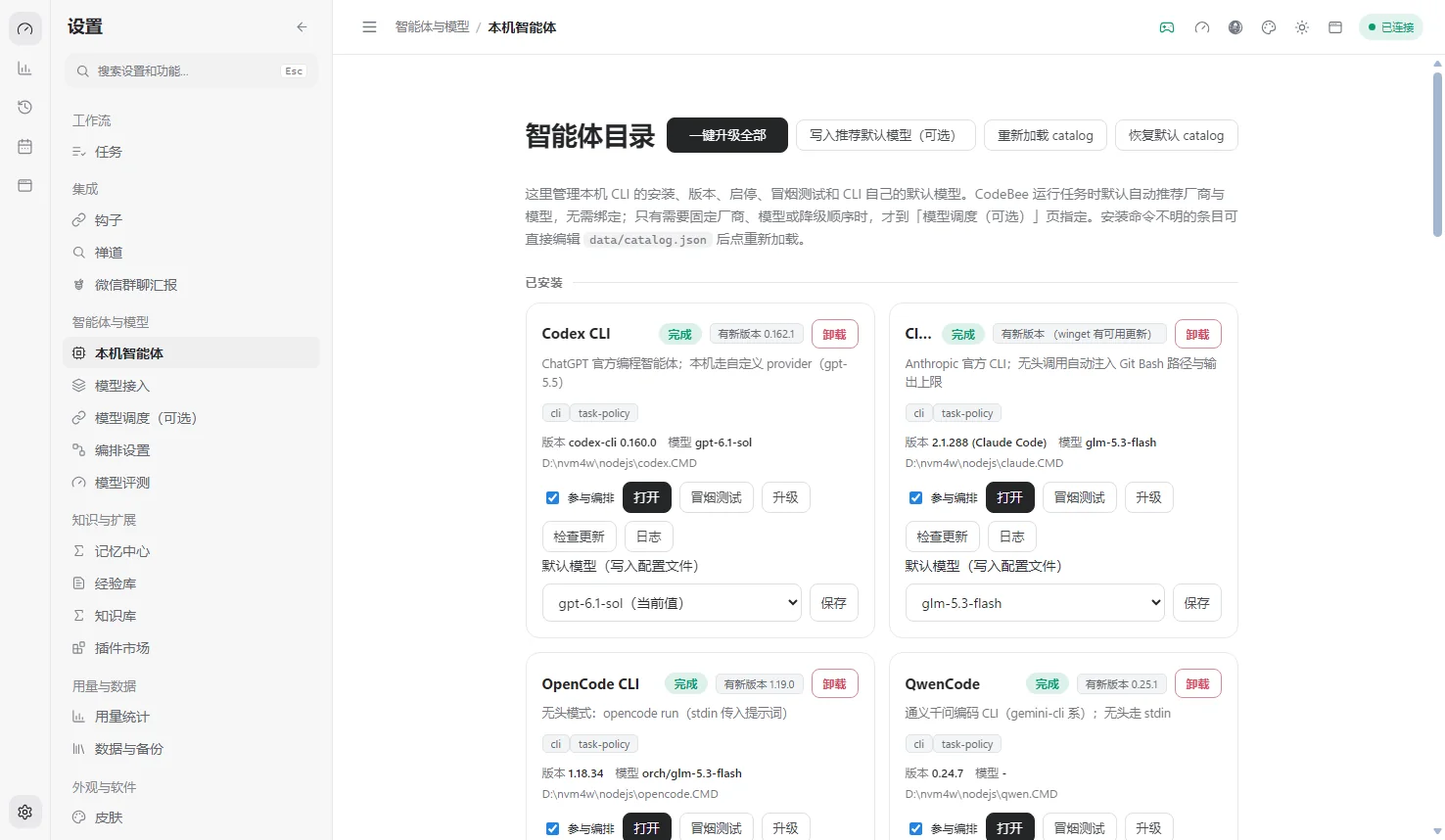
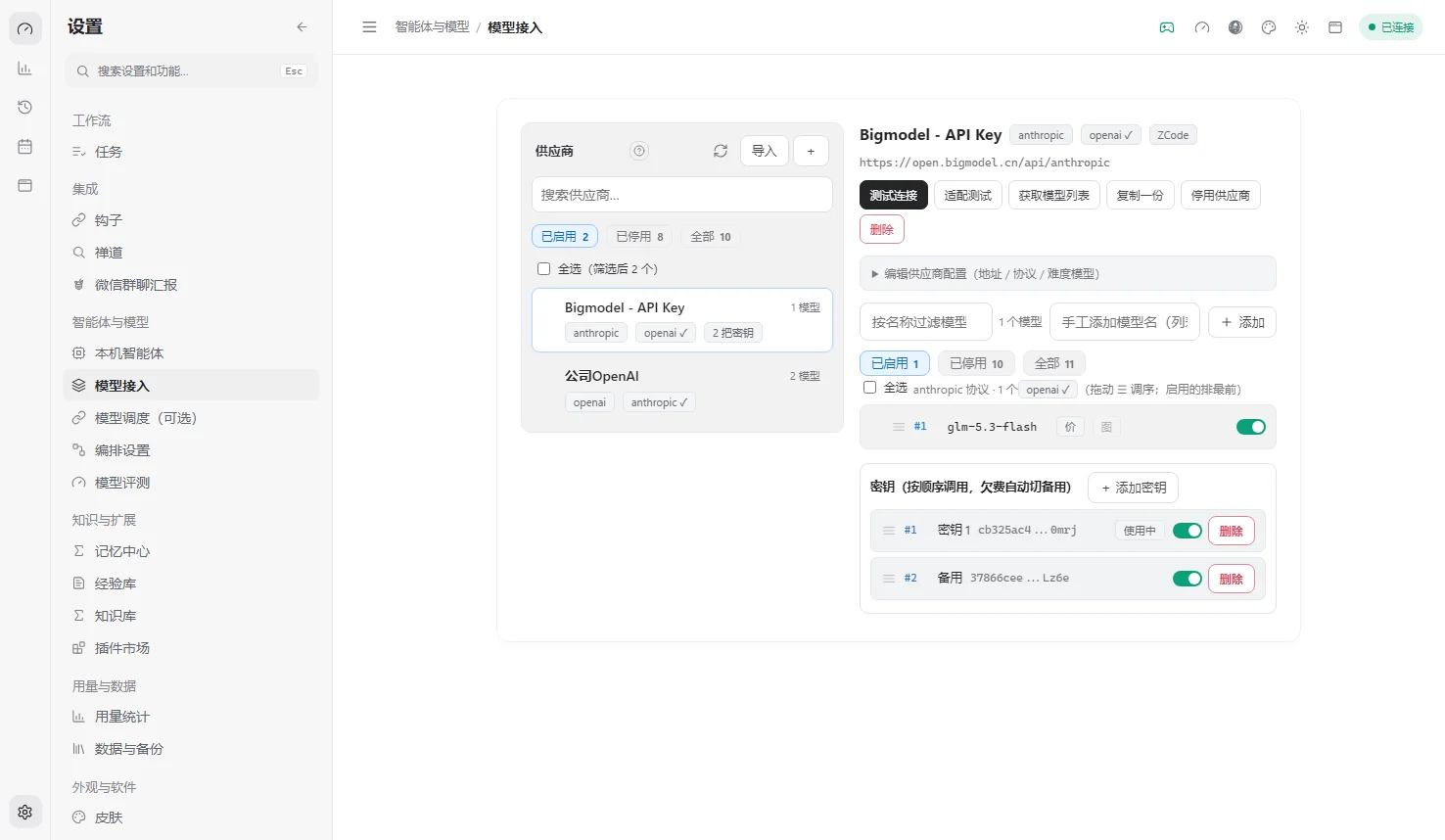
CodeBee automatically discovers supported CLIs installed on your machine: confirm them in the "Local agent catalog", set default models, and leave the routing to the hive. Each CLI's account, keys and billing stay with its own vendor.
Install and sign in following the vendor's docs — say Codex CLI, Claude Code or Gemini CLI.
Open CodeBee's "Local agent catalog" and confirm the new CLI was discovered and enabled.
Configure default models under "Model providers", or let CodeBee route by role automatically.
CLI FAQ
The list, onboarding, billing boundaries and how to request more — direct answers.
CodeBee currently orchestrates 14 local CLIs:
The list keeps growing with each release — see the GitHub release notes.
No. One CLI is enough to start: a single CLI can still run the full plan → execute → verify → review loop. The more CLIs you install, the more room there is for role routing and cross-model review. A good minimum is one builder (say Claude Code or Qwen Code) plus a reviewer from a different vendor, so the second pair of eyes comes from a different model family.
Each CLI is a product of its own vendor: account signup, API keys, quotas and billing are all managed by that vendor. CodeBee only orchestrates the calls on your machine — it never touches or stores your keys or request content. Which vendors to use and how to configure them is entirely your call.
Open an issue in the GitHub repository with the CLI's name, install method and official link. The list keeps growing with each release.
RECOMMENDED COMBOS
Common pairings based on the four roles. One CLI is enough to run; these combos simply leave more room for cross-review — every CLI is interchangeable, and what you have installed is what counts.
| Scenario | Builder | Plan / research | Review |
|---|---|---|---|
| Everyday development | Claude Code | Codex CLI | Cursor Agent |
| Long-document research | Kimi Code | Gemini CLI | Windsurf |
| Rapid prototyping | Qwen Code | Roo Code | GitHub Copilot CLI |
| Routine automation | Goose | Codex CLI | Windsurf |
| Cloud engineering | Amazon Q CLI | Codex CLI | Cursor Agent |
These are pairing suggestions, not configuration requirements: CodeBee routes across the CLIs you have installed and never calls anything outside the list.